Available now

Chords for
whatever's playing.

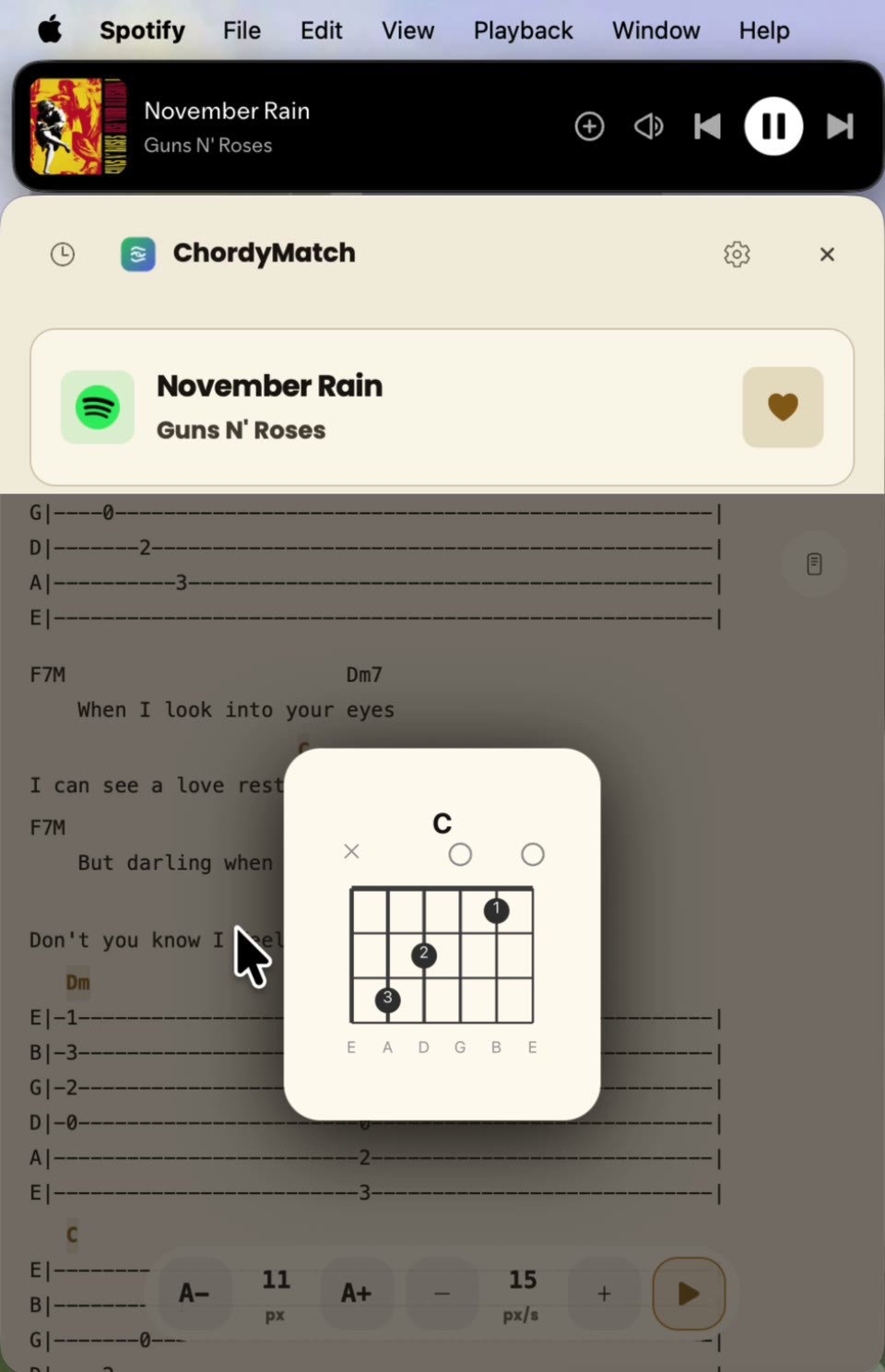
Open the app. Chords appear the instant your song plays — no typing, no searching. One-time purchase, keep it forever.

Works withSpotifyApple MusicYT Music
side a · How it works

Three steps. That's it.

  1. Play any song

    Spotify, Apple Music, or YouTube Music — whatever you're listening to.

  2. Open ChordyMatch

    It reads what's playing on your phone automatically. No mic, no searching.

  3. See the chords

    Guitar chords appear instantly. Start playing along while the intro's still going.

Works offline — cached chords keep playing with no connection.

See chords appear while the song plays.

side b · Where to get it

Your next song, on your platform.

ChordyMatch is still in the sleeve. Join the launch list for the platform you use, and we’ll tell you when the first build is ready.

Release status

Building the first release

macOSLaunch list
Coming soon
Be first to know when it lands.
WindowsMicrosoft Store
Available
Ready to play along.$3.99
Get for Windows
AndroidLaunch list
Coming soon
Be first to know when it lands.
iOSLaunch list
Coming soon
Be first to know when it lands.

One email when ChordyMatch is ready. No payment, no account, no noise.

liner notes

Liner notes.

Which music apps does it work with?

Spotify, Apple Music, and YouTube Music. If you're playing something on any of those, ChordyMatch picks it up.

Do I need to create an account?

No. Download the app and use it. That's the whole flow — no signup, no login, no email required.

How much does it cost?

Android and iOS: $1.99 one-time purchase, available on Google Play and App Store. macOS: $3.99 one-time purchase on the App Store. Windows: $3.99 one-time purchase on the Microsoft Store. No subscriptions, no hidden fees.

How does it know what song is playing?

It reads the Now Playing info that your music app broadcasts to the system. No microphone, no audio recording — just the metadata your phone already has.